GC GrantClose
For small nonprofits holding restricted grants

How many grant reports are due in the next 90 days? Your award letters already know.

GrantClose is post-award grant tracking for small nonprofits.

  • Upload an award letter
  • Confirm the reporting schedule it contains
  • Give every deadline an owner
  • Keep the evidence next to it
  • Export a closeout packet when the award ends

See what is due, who owns it and where the proof is filed, in the meeting rather than after it.

Free for 1 active award; closed awards never count against that.

How we handle your data

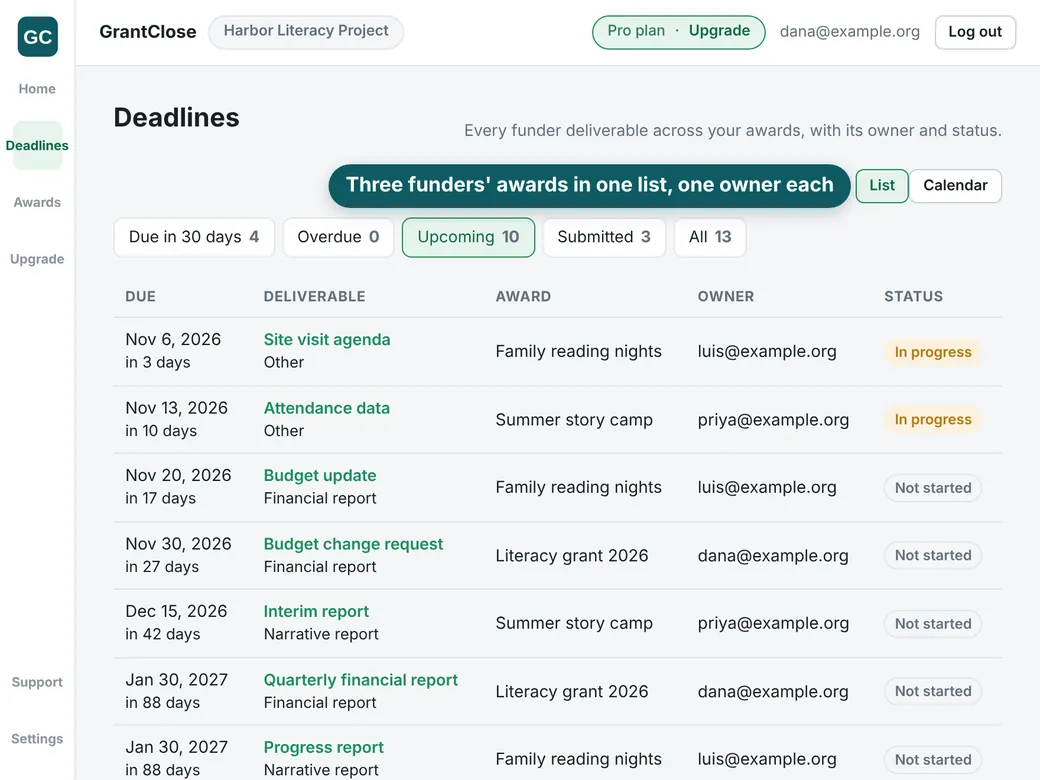
GrantClose Deadlines screen listing ten upcoming grant reports from three awards (Family reading nights, Summer story camp and Literacy grant 2026), each with its due date, how many days are left, one owner and a status such as In progress or Not started
The Deadlines screen, with sample data. Three active awards need the Pro plan; Free holds 1.

What goes wrong after the award is signed

GrantClose is built for the executive director, development lead or program manager who is managing that by spreadsheet and memory.

The reporting schedule lives in a PDF in someone's inbox.

The person who read it has left, or is also running the program.

Three funders have three different calendars.

The closeout deadline arrives with the final report still unwritten.

How it works

From award letter to closeout, in four steps.

  1. Upload the award letterA PDF with a text layer, or a Word file.
  2. Confirm the scheduleNothing becomes a deadline until a person accepts it.
  3. Give every deadline an ownerOne owner each, with email reminders.
  4. Export the closeout packetA ZIP you download when the award ends.

What GrantClose does

Every feature is on every plan, Free included.

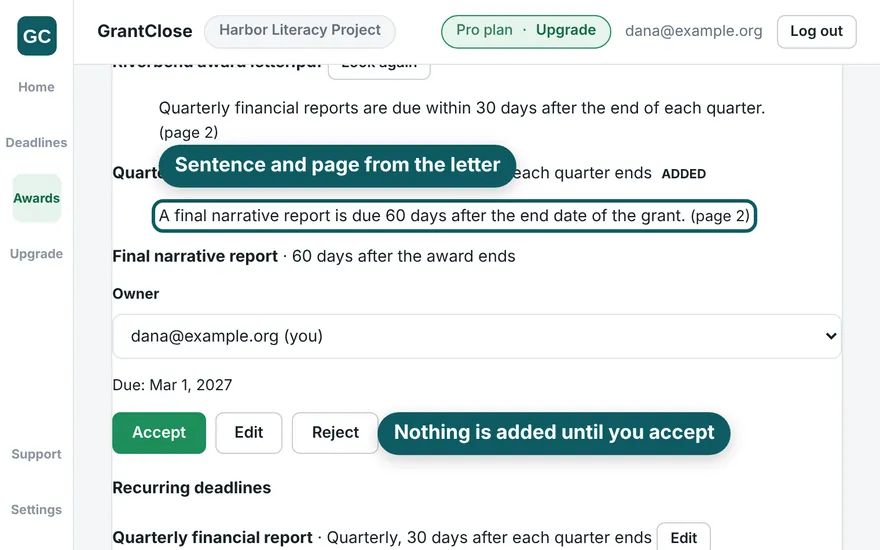
GrantClose award page showing a reporting date found in a sample award letter: the sentence "A final narrative report is due 60 days after the end date of the grant." from page 2, an owner picker, the due date, and Accept, Edit and Reject buttons

Award intake

  • Upload the award letter: a PDF with a text layer, or a Word file.
  • GrantClose finds the reports, the period dates and the closeout terms.
  • It shows the sentence and page each one came from.
  • If a file has no readable text, it tells you and opens manual entry.
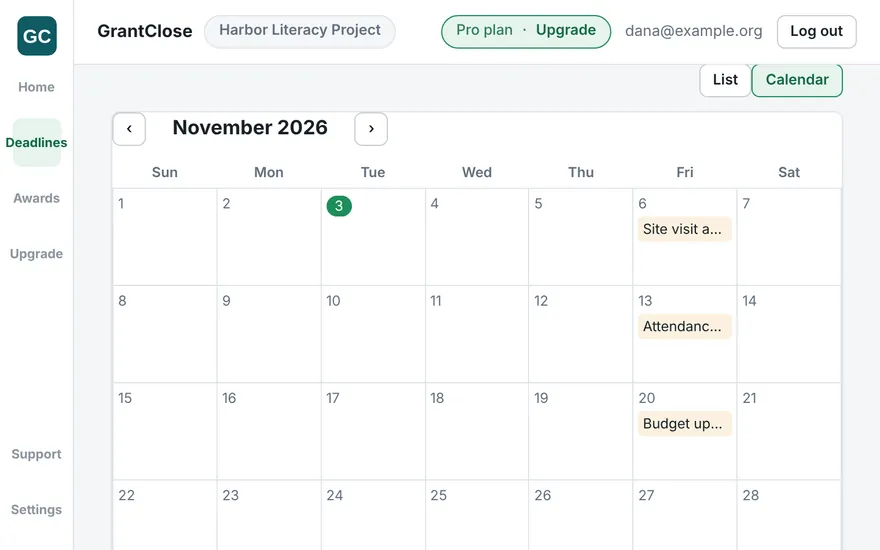
GrantClose calendar view of November 2026 with three reporting deadlines (Site visit agenda, Attendance data and Budget update) shown on their due dates

Reporting calendar

  • You confirm the schedule. Extracted dates are suggestions.
  • Nothing becomes a deadline until a person accepts it.
  • Recurring reports (monthly, quarterly, semiannual, annual, or a set number of days after the award ends) are generated from one rule.
  • Subscribe to the calendar feed (ICS) from Google Calendar, Outlook or Apple Calendar.
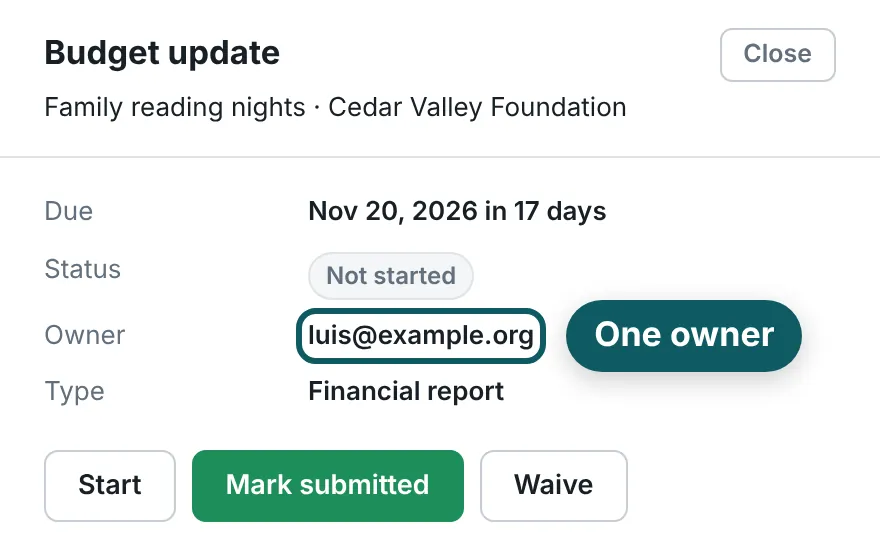
One GrantClose deadline, Budget update for the Cedar Valley Foundation award, showing its due date, its status (Not started), its one owner and the Start, Mark submitted and Waive buttons

Owners and reminders

  • Every deadline has one owner.
  • Each has a status, from not started to accepted.
  • Reminders go out by email at 30, 14, 7, 1 and 0 days before the due date.
  • Weekly once something is overdue.
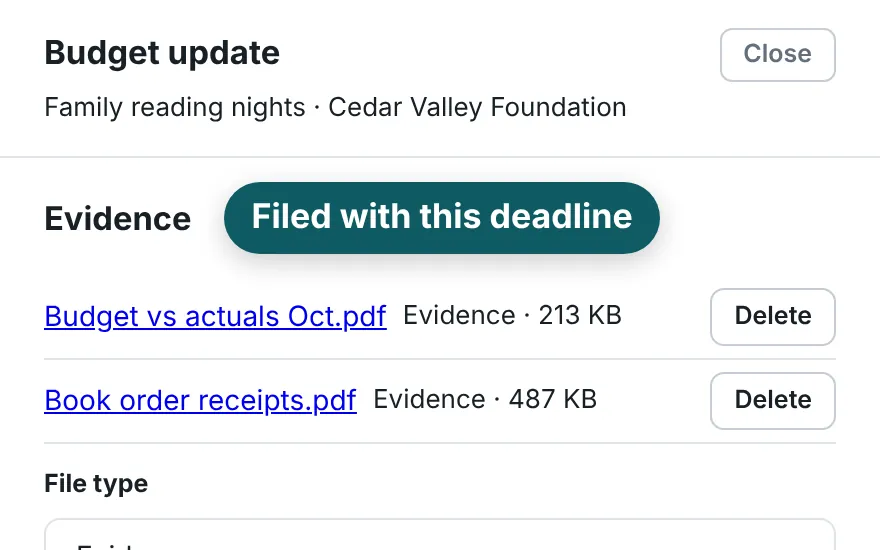
The Evidence section of a GrantClose deadline with two attached PDF files, a budget versus actuals report and book order receipts

Evidence locker

  • Attach receipts, signed forms and the submitted report.
  • Each file sits with the deadline it supports.
  • The proof is in one place when the funder asks.
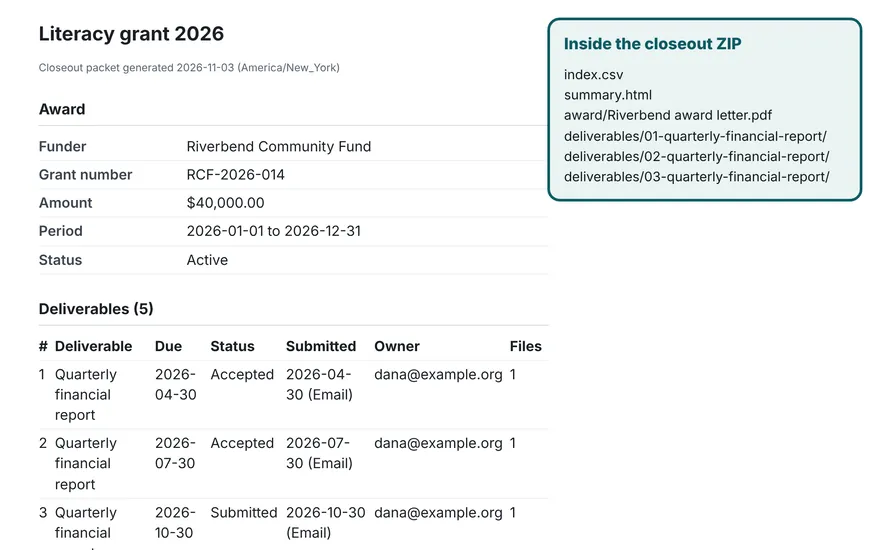
The printable summary inside a GrantClose closeout ZIP, listing the award funder, grant number, amount, period and each deliverable with its status, submission date and owner, beside the list of files in the ZIP

Closeout packet

  • When the award ends, export the award terms.
  • Every deadline comes with its status and owner, plus the attached evidence.
  • It is one ZIP you download.
  • Closed awards stay readable and exportable forever, on every plan.

What it does not do

  • It does not write your reports. Your team writes them; GrantClose tracks that they are due, who owns them, and that they went in.
  • It does not submit anything to a funder or connect to a funder portal.
  • It does not interpret your agreement or promise you will never miss a date. You confirm the dates, and your award agreement is the authority.
  • It is not legal, audit or compliance advice.

Who GrantClose is for

It tracks the grantee side only: what you owe a funder, by when, and who is doing it.

Built for
  • Small nonprofits and community organizations.
  • A handful of restricted grants from foundations, government agencies or corporate funders.
  • One or two people who hold all the reporting obligations.
Not built for
  • Funders. It is not a tool for funders.
  • Finding grants. It does not help you find or apply for grants.

Often that's the executive director, a development or grants manager, or a finance lead — see GrantClose for executive directors, grants managers or finance leads.

Pricing

Free for 1 active award, 1 seat and 250 MB, with every feature included: reminders, the calendar feed and the closeout packet. Paid plans add awards, seats and storage. No trial, no card to start, no coupons.

Free

For trying it on one real award, on your own.

$0

No card

  • 1 active award
  • 1 seat
  • 250 MB

Team

For several funders and a small team sharing ownership.

$89 per month

or $890 per year

  • Unlimited active awards (soft cap of 200)
  • 10 seats
  • 10 GB

Prices in USD. Annual plans are two months free. Details on the pricing page.

Do it by hand first

These pages give the whole manual method, with no signup. GrantClose is the faster way to do the same thing across more than one award.

When you want the tool to do it

The same methods, done inside GrantClose. Free for 1 active award.

Who runs GrantClose

GrantClose is a product of F&S VENTURES LLC, a Delaware limited liability company with its office in Minnetonka, Minnesota. About us · Contact · Privacy · Terms